Creating a home office that’s both organized and productive can make a huge difference in your work-from-home experience. Whether you’re new to remote work or looking to improve your current setup, a well-planned workspace helps reduce distractions, improve focus, and enhance your overall efficiency. In this post, we’ll share key tips to help you create a home office that supports your best work.
Choose the Right Location
Selecting the perfect spot for your home office is the foundation of creating a productive workspace.
– Quiet and Private: Look for a space away from high-traffic areas and noise to minimize distractions.
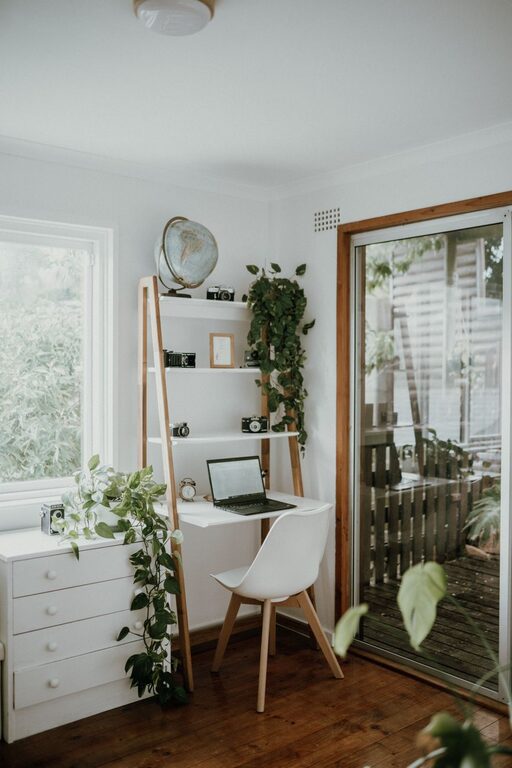
– Natural Light: If possible, choose a room with windows to take advantage of natural light, which can boost mood and focus.
– Adequate Space: Make sure the area is spacious enough to accommodate your desk, chair, and any storage solutions you need.
Invest in Comfortable and Functional Furniture
Comfortable furniture is key for maintaining good posture and reducing fatigue during long work hours.
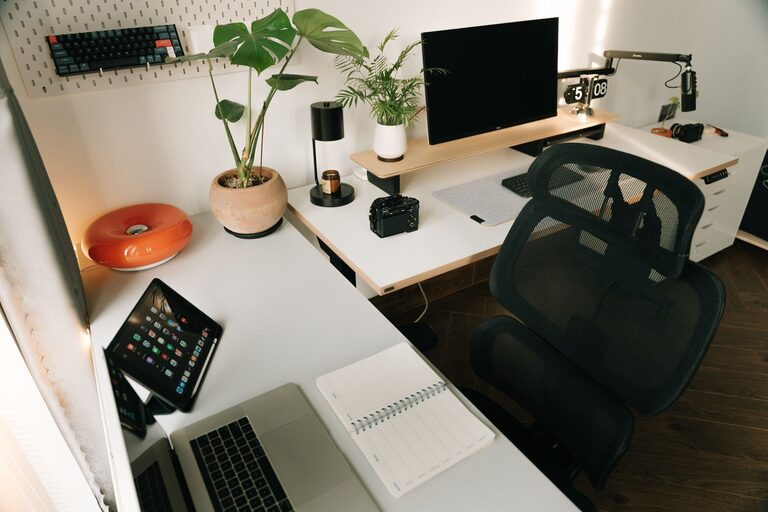
– Ergonomic Chair: Choose a chair that supports your back and allows your feet to rest flat on the floor.
– Adjustable Desk: If possible, use a desk that allows you to alternate between sitting and standing.
– Desk Size: Pick a desk large enough to hold your computer, accessories, and paperwork without feeling cluttered.
Organize with Storage Solutions
Keeping your workspace tidy is easier when you have designated storage options for all your items.
– Shelves and Cabinets: Use wall shelves or cabinets to store books, files, and supplies.
– Desk Organizers: Utilize trays, pen holders, and drawer dividers to keep small items sorted.
– Digital Storage: Minimize paper clutter by digitizing files and organizing them in cloud folders.
Manage Cables and Technology
A neat arrangement of your tech setup prevents frustration and keeps your desk looking clean.
– Cable Management: Use clips, sleeves, or zip ties to bundle and hide cords.
– Essential Equipment: Limit tech to what you regularly use to avoid overcrowding.
– Reliable Internet: Ensure your workspace has strong Wi-Fi or a wired connection to prevent disruptions.
Enhance Lighting
Good lighting reduces eye strain and creates a pleasant environment.
– Layered Lighting: Combine natural light with overhead and task lighting.
– Adjustable Desk Lamp: Use a lamp with adjustable brightness and direction to illuminate your work area.
– Avoid Glare: Position screens and lights to reduce reflections.
Personalize Without Overcrowding
Adding personal touches can make your home office inviting but avoid too many distractions.
– Plants: Small plants add color and improve air quality.
– Artwork: Hang inspiring prints or photos.
– Minimal Decor: Select a few meaningful items to keep the space calm and focused.
Set Clear Boundaries
Creating a physical and mental separation between work and personal life helps maintain balance.
– Dedicated Workspace: Avoid working in multi-use areas like the couch or bed.
– Defined Hours: Stick to regular work hours and use a “do not disturb” sign if needed.
– Break Zones: Have a separate area for breaks to recharge.
Maintain Regular Cleaning Habits
A clutter-free space supports productivity and reduces stress.
– Daily Desk Reset: Spend a few minutes each day clearing your desk.
– Weekly Deep Clean: Dust, wipe surfaces, and organize papers weekly.
– Declutter Regularly: Periodically review your supplies and remove unnecessary items.
Use Productivity Tools and Techniques
Incorporate tools and habits that support focus and efficiency.
– Task Lists: Keep a to-do list or planner visible.
– Timers: Use techniques like the Pomodoro method to stay on track.
– Apps: Consider apps for note-taking, time tracking, or project management.
—
By thoughtfully designing your home office space with these tips, you’ll create an environment that supports both organization and productivity. Remember, the ideal home office is one that works for your unique needs and helps you feel comfortable and focused every workday.
About the Author